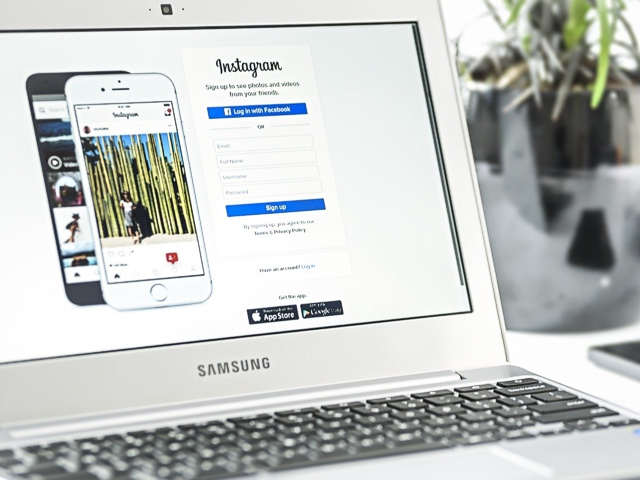
The Best Instagram Apps for PC

Change the way you share your moments with an Instagram app for PC

The most beloved social media network of the present times is undoubtedly Instagram - the Facebook-owned photo and video sharing app that’s making the world go gaga over it for quite some time now. But the social network has made things a little complicated for its users by lacking access to the majority of its features outside the mobile app.

The app is perfect for on-the-go users who like to capture and share every small and big moment of their everyday life. But using the platform on your desktop gives you a better experience; the images look clearer and bigger—something that grabs your attention more as you don’t scroll as quickly as you do on the mobile app.

However, for those of you who wish to experience the platform on your PC, you will have to download a dedicated third-party Instagram app for PC, something that lets you share your special moments without using the standard website for desktop.

Get these Instagram apps on your PC today

While looking for an Instagram app on desktop, you might come across a plethora of options. But not all of them can provide the ease you are looking for. To make the choice easier, let’s take you through some of the best Instagram apps for PC here:

  1. Windows Store Instagram App

The Windows Instagram app is available for Windows 10 and provides you with incredible features that resemble the ones you get on the mobile app. It’s exceptionally lightweight and is free to download. Simply go to your Microsoft Store on your desktop, and you will find the link to download this Instagram app on PC. Here’s a rundown of the various aspects of the Windows Instagram app:

● Layout: The overall design of the app is similar to the mobile version. You have all the access options at the top of the screen that allow you to refresh, see direct messages, and upload images and videos to your Instagram story. The stories are showcased below the screen and you get a taskbar to search Instagram, access your homepage, check recent likes, and view your profile.

● Adding content: One of the main reasons why this Instagram app for PC is better than the website is because it includes options for uploading photos and videos. The desktop website does not allow you to upload new posts. You can now add new posts with the app by simply right-clicking on the app icon and tapping on ‘New Post’.

The only issue you might face on the Windows Instagram app is its speed. The app can run slow at times and pages take more time to load. Logging into your account can also be a little hassling. But once you get in, most of the experience will be a treat.

Snippet: The Windows Instagram app has a pleasant overall layout and provides ease in posting images and videos to your Instagram account. Try it for yourself.

  1. Gramblr

Another Instagram app for PC that’s gaining traction these days is Gramblr, which is a free Instagram client hooking straight into the platform’s API. Once you download this Instagram app on desktop, you will get an easy and useful way to post new images and videos. Thanks to its collection of tools, you can also expand your follower base and boost engagement on your profile. Let’s check out some of its characteristics here:

● Uploading tools: Gramblr has a fantastic suite of uploading tools that work just on a click of a button. Just like your Instagram mobile app, you can use a variety of filters to touch up your photos. It provides good controls for focus, lighting, saturation and sharpness—all of which are extremely useful to make a dull image look vibrant and appealing. The best part: you get the option to add sixty likes from real Instagram users immediately to your image!

● Scheduling: The digital world is all about automation these days, and nothing would be better than an Instagram app for PC that automates the posting process. Gramblr allows you to achieve this by linking straight to your Instagram API to upload images and videos on your behalf. All your posts will be uploaded as per the scheduled time.

● Auto likes: Gramblr has a ‘like’ feature which automatically hits the like button to grab more eyeballs on the platform. You can select images with hashtags so that you’re always targeting and reaching a specific audience. After that, you can press the ‘auto-like’ option and open the Gramblr app to automatically like new posts.

You might, however, face a few issues with this app. Firstly, you don’t get regular updates from the developer. Secondly, most of its features are in a gray area because the app does not conform to Instagram’s terms and conditions. Also, you cannot use Gramblr to message users or add stories.

Snippet: Gramblr is an Instagram app for PC that comes with a host of features to make your Instagram usage a lot easier and simpler. Check out its innovative features today!

  1. Ramme

If you are looking for a lightweight Instagram app on desktop, Ramme is what you need. The app takes you on a journey that’s not very different from the Instagram application on the iOS platform. There are quite a few reasons why this app stands out in comparison to the website. Before anything else, it’s the functionality of the app that includes uploading of photos and stories and direct messaging options. However, there are other aspects that make Ramme so popular amongst desktop Instagram users:

● Well-optimized: To use Ramme, you will only require the .exe file and you are good to go. You don’t need to go through the cumbersome process of finding an installer or scouring the Windows Store. You can also resize the Ramme window on your desktop, which will adjust everything on the screen to fill the window size without any hassle.

● Easier image uploading: The image upload process on the Windows Instagram app is a little peculiar and uploading images on the desktop website isn’t possible at all. With Ramme, you can overcome these limitations with an uploading process that’s almost the same as the mobile app. Simply click on the ‘+’ icon at the bottom of the screen and then browse through Windows File Explorer to find a photo or video that you wish to upload. It’s that easy and straightforward.

You will rarely come across performance issues because the app is extremely lightweight and runs seamlessly. As such, this Instagram app for PC will surely change your experience on the social network and provide a simpler way to stay connected with the rest of your circle.

Snippet: Ramme allows you to overcome the uploading limitations seen in Windows and other Instagram apps for PC. You will simply love its well-developed interface and nifty features.

  1. Windowed

Last but certainly not the least, you have an Instagram app for PC called Windowed. All the logins and actions are done directly with your Instagram API so that you don’t have to fret about giving your account information to a third-party. Windowed works amazingly by letting you access the mobile browser version of Instagram right from your PC. Here are a few features that make this app stand out from the rest:

● More engagement: With Windowed, you can scroll down your Instagram feed with more time in hand. You can use a mouse and keyboard to surf through posts without having to double-tap on photos, as is the case on the mobile app.

● Multiple account management: This is something similar to the Instagram mobile app. Windowed allows you to manage up to five Instagram accounts without any hassle. Simply go to your profile, click on your username appearing at the top, and tap on the “Add Account” option to bring multiple profiles onto one platform.

● Free accessibility: The best part about using this Instagram app for desktop is that you don’t have to shell out any money to enjoy its features. Available on both Windows and Mac OS operating systems, this application is usable entirely free of cost. There are no premium versions or extra hidden charges. Just download the application on your PC and get full access to all its functionalities.

Snippet: Windowed is an Instagram app for PC that comes with a host of features to enhance your Instagramming experience. You can now drive more engagement and manage multiple accounts without spending a penny. Check it out!

The bottom line…

The list mentioned above pretty much wraps up the best Instagram apps for PC. You will find plenty of these apps in the online marketplace, but you should choose the one that suits your style and needs. The app you choose should have a user-friendly interface, smart collection of posting features, and free usage terms. At the same time, it’s crucial that the app you choose is in line with Instagram’s terms and conditions.

So which one of the above is your favorite Instagram app on desktop? Let us know in the comment section below. Happy Instagramming!

The Worst Mistakes Rookie Instagrammers Make and How to Avoid Them

You may be aware that Instagram is a leading photo and video sharing social network, and individuals and brand marketers are leaving no stone unturned to reach the 500 million daily active users.

Instagram has been an active part of the digital world since 2010, but many of you are new to the platform. As such, it’s completely natural to make common Instagram mistakes as a novice Instagrammer.

Don’t fret if you have already committed some bloopers because there are ways to overcome them. But make sure you don’t make them again and again as it may severely affect your reputation as a user, and ultimately your follower numbers.

The Instagram Mistakes You Must Avoid

Here are a few Instagram mistakes you must not be making at all cost:

Having the same name and username

As an Instagram user, you must know that the name and username are two different fields. Your name is the name that appears in your Instagram bio, while the username is the @name you use. All your posts, likes, and comments will appear with your Instagram username. More often than not, your username will have one word in lowercase, unless you decide to use symbols like a dot or underscore.

Your name can have uppercase letters, spaces, symbols, and simple formatting. Since both fields are so different, their usage should also be different. Even if you or your business in one word, you should use a single word for your username but have a descriptor or differentiator in your name.

Using an irrelevant username

One of the worse Instagram mistakes that people make is using an irrelevant username, something that does not resonate with the audience at all. This mistake can completely ruin your Instagram reputation and cause your follower numbers to plummet drastically. Sometimes, people use Instagram to promote their business, but their username is some goofy variation of their real name. Doing so makes them look extraordinarily amateurish and unprofessional.

As such, you have to choose your username very carefully. You must use a name that reflects your personality or your business and promotes recognition and memorability. This can help you paint a professional, more appealing image on the platform.

Turning on the “private account” option

Some people tend to set their Instagram account to private. This could be an inadvertently done Instagram mistake, but it’s certainly a major one. You can use the private account option if you are an individual user and wish to keep your images and videos personal. This, however, doesn’t make any sense for a business as it is meant to be marketed to the public.

You could stumble upon any individual or business on the platform who might be interested in your business or your offerings. When you set your account to private, you lose the opportunity to tap such users. As such, you should keep your account public so that you can increase your follower base and reach potential users.

Leaving the “bio” section empty

Your bio is the first thing your followers will read to know more about you or your business. Leaving your bio section empty is a gesture of sheer lack of professionalism, creativity, and humanity. It gives your followers no idea about what you do and offer. This is one of the worst Instagram mistakes that an individual user or a business can make.

As such, you must include a crisp and well-written bio on your Instagram profile. This is an excellent way to explain your business to others and giving them an idea of your offerings. Make sure your bio is attention-grabbing, entertaining and descriptive. Doing so can truly help you make a mark on the platform.

Not using hashtags correctly

Some people go mad over hashtags. Yes, hashtags are extremely important but it doesn’t mean you use them anywhere and anyhow. One of the most common Instagram post mistakes that people make is tagging each and every word in the post. Not only does this nullify the purpose of finding engaged followers but also makes you look extremely unprofessional.

What’s worse is that some people use hashtags even in their bio! It’s completely redundant and serves no purpose. You must stop doing it now. It’s always a better strategy to use a few relevant hashtags that push your SEO efforts. It’s best to use three to four hashtags in your post description and up to fifteen hashtags in your first comment.

Posting low-quality images

Instagram is essentially is an image-sharing platform where visuals mean everything. But choosing low-quality images is one of the most common Instagram post mistakes that people make. Bad or blurry photos not only look bad but also paint an unprofessional picture of your business or yourself on the platform. Some people also don’t pay attention to their display picture, which can severely hamper how others perceive you and your business.

You should always try to post aesthetically pleasing images that are color-corrected and well-cropped. You don’t have to invest in an expensive camera for the purpose—your phone’s camera works fine. If you are using Instagram for business, you must ensure that your display picture matches or is similar to what you use on other platforms, provided they are clear and well-edited.

Not paying attention to captions

Besides the quality of the image, you must also take care of your captions that describe your post. Instagram is all about sharing photos, but leaving out the caption can ruin your Instagram strategy completely. Anyone who uses the platform will know how important captions, hashtags, and call-to-action is. Not writing them at all or writing short ones can make you look like a rookie amidst all the experienced users.

To make your posts more effective, you must craft appealing and attractive captions. Write a couple of sentences instead of short paragraphs that everyone can read. It should be relevant to what you are posting and should convey your message clearly to your audience.

Following an inconsistent posting schedule

On Instagram, consistency holds the key to a huge fan following. Just like any other social media platform, your followers on Instagram are following you because they expect something valuable from you consistently. Posting consistently makes you predictable, something that your fans and followers really appreciate.

At the same time, some users post too often, which spams their followers’ feed. This is one of the most disliked Instagram post mistakes. As such, you must maintain a consistent posting schedule to maintain the interest of your followers and retain them forever. Make sure you spread out your content in a way that keeps you active on the platform without annoying your followers.

Having a badly organized feed

Some of you may be posting random images and videos that are misaligned with the rest of your Instagram feed. A little of everything creates unimaginable chaos. If you wish to wow your followers on the platform, you have to ensure that your feed is cohesive and well-curated. Not only does it make your profile more appealing, but also help you garner more followers.

You should pay close attention to the aesthetics of your Instagram feed. Look at its color, shade and other relevant aspects. If you find something that’s not in line with your existing agenda, you should consider removing it from your feed. Try to reproduce posts that maintain your profile’s theme and aesthetics.

Not following back

Instagram is two-way traffic, and you have to know your followers well to be able to establish a close connection with them. A new follower, who can be friend, colleague, relative or any other user, follows you. Consider that good. But such followers won’t stay if you don’t follow them back.

As such, you should always follow somebody back when they follow you. You don’t necessarily have to communicate with them or comment on their posts so much. But it’s always a good gesture to follow them back. Doing so gives you a chance to know them better and craft future posts in line with their interests.

Not commenting on others’ posts

Some of you may think that once you have posted your image or video, your job is done. But thinking this way is one of the biggest Instagram mistakes you may be making. Engagement is the key to building a wider fan-base, and the comment section below every post has a huge role to play in this. If you wish to build a strong community, you need to respond to others’ posts actively.

Commenting on others’ posts gives them the impression that you value their content. If you ignore comments, you may look disrespectful to some extent, making your followers click on the “unfollow” button immediately. So, it’s important that you listen to your audience and engage actively with them. Don’t hesitate to surf through your followers’ previous posts and comment on them if something interests you.

If you wish to boost your brand’s presence, improve engagement with your Instagram community and build a vast fanbase, make sure you don’t make the aforementioned Instagram mistakes. You are sure to get the best out of the platform by avoiding them.

10 Essential Steps to Write an Outstanding Instagram Post

When you want to be able to use your Instagram to grow your brand, there’s a lot more to it than posting an image and getting a million followers. In fact, with thousands of posts being added every second, you need to work smarter than ever before to stand out on social media. Let’s take a look at how you can do exactly that…

The power of social media

We all know that social media is a unique tool, but do we know how powerful it really is? The average American spends at least an hour a day on social media, with Instagram currently the third most popular platform behind Facebook and SnapChat. It has that sticky quality that makes people come back over and over again, and because it’s the king of visual content, it’s not hard to see why. So, how do you harness it to grow your brand?

Here are your 10 essential steps:

1. Deploy video to maximize engagement

Videos account for more than half of all web traffic in 2019, and it’s a trend that’s only set to accelerate according to the experts. If you want to be able to give people more than just great images, give them great videos.

Keep them short and sweet at around 10 seconds in duration, and you’ll be able to keep people on your profile far longer than you were before. The longer they stay, the more invested they become in your content. Which means they’re far more likely to work their way back through your back catalogue, comment, or hopefully both!

2. Image quotes are great for sharing

There’s nothing better than an image quote if you want to turn your followers into your free marketing team. Branded image quotes are a great way to get your message and logo out there at the same time, and they can really resonate with people.

It’s important to have a theme for your quotes, rather than just randomly picking them. If you’re a lifestyle brand for example, then choose aspirational quotes that make people feel good about themselves. Before you know it your followers will subconsciously associate that feeling with your brand, and that’s a really great thing for your future success.

3. Live video feeds are the future of follower engagement

No list of the key Instagram features would be complete without a reference to live videos, and no guide to creating posts would be worth reading if it didn’t recommend them.

Live streaming is the latest way to engage with your followers, and it offers them an insight into your world. Live feeds can be used to humanize your brand, and connect people with core issues that you stand for. You’d be surprised at the difference it makes when people can put a name to a face, and feel like they know you.

4. Product tags are a great way to endorse something you love

Product tags are ideal if you want to endorse something, without coming across like you’re just sending endless ads. No one goes on social media for ads, and most people act as if they haven’t even seen them. To give your profile the right balance, drop a tag in when you need to, and you’ll be all set.

5. Asking your followers to tag their friends can take your posts viral

If you want to create viral content, then you need to get your friends and followers in on the act. By asking them to tag a friend, you can cast your net a lot wider with the click of a button. Do it in a cheeky or playful way, rather than with a sales-orientated call to action, and you’ll soon see that the results speak for themselves.

The most important thing to remember about this step however, is to do it in a relevant way. It’s no use you asking at the end of every post, because people will soon get wise to what you’ve doing and disengage. Choose a couple of posts a week to focus on, and make sure they’re the kind of content that people will want to show their friends. Simply really!

6. Transformations are one of the most popular types of content

Whenever you can show a transformation, post it on Instagram. It could be weight, some home decor improvements, or even a new outfit. No matter what you choose, you’ll see that people love the strong before and after visual.

By focusing on something that’s at the core of your brand, or is a major part of your life if you’re working on building your personal account, you can say it all with a single post. That’s the power of transformations, and it’s something that your followers are going to really love.

7. Create engaging text that doesn’t read like just another sales pitch

Online services such as Trust My Paper are a great tool to have at your disposal if you want to take your content to the next level. There are far too many great images that get spoilt by lousy text, and yet it’s so easy to do something about it.

If words aren’t your thing, just hire a professional to take care of them for you. That way you’ll be able to add the perfect finishing touch to everything you post, and your followers will love you for it!

8. Show your followers things they can’t find anywhere else

Behind the scenes photos and videos are a great way to get your followers to really love what you do. Remember, it’s far better to post little and often, than it is to post sporadically every couple of weeks.

If your followers get used to you creating new previously unseen content, then they’ll be checking your profile daily, whether it’s popped up on their feed that day or not. Just what you want when you’re getting your brand out there.

9. Be authentic by keeping your brand at the center of it all

Trying to be all things to all people is never a good idea, and certainly not when you’re trying to build a brand on Instagram. Make sure each of your posts stays true to who you are, and don’t jump on the latest trends and hashtags just because everyone is raving about them.

10. Don’t go overboard with filters, and other common fails

If you want to see some screenshots of common fails, then be our guest. You’ll all have friends who go crazy with filters just for the sake of it, and you know just how annoying that can be. By learning from the common fails, you can ensure that everything you post truly is outstanding.

Easy Ways to Download Instagram Stories

It’s the world’s favorite social media platform for a reason! Close to one billion people are active on Instagram every month while more than 500 million access the visual platform every day. Instagram beats WhatsApp, Facebook Messenger, and Twitter in terms of monthly active users.

On average, Instagram users upload 95 million photos and an even higher number of videos every day. Given that three-fourths of the U.S. population is on this platform, some of the most popular brands prefer to engage their target audience on this platform.

Instagram Stories are an ideal way to tell a story! You can use them to create boomerangs – the GIF-like photos - or put up live videos that stay up for only 24 hours. The Story trend started with Snapchat and has now been made popular by Instagram. Unlike Facebook or Snapchat, Instagram offers options to create live videos and boomerangs.

If you are a huge fan of Instagram stories, rest assured, you are not alone! According to Statista, there were 400 million daily active users of Instagram Stories across the world in June of 2018.

Why download an Instagram Story?

The reasons could be many! Instagram being a highly engaging, visual platform, there are plenty of irresistible and interesting videos or images. If you are a food or travel enthusiast, you may want to save up the travel story with a link to bookings or the “how to” video showcasing a recipe.

Celebrities post stories that may be drool-worthy for fans, or you could be interested in a new product demo put out by a brand. Many brands use Instagram to promote products, give an ‘inside look’ of their services or product, showcase a live event, put out ‘how to’ videos or feature contests.

Apart from all of this, you could just be interested in someone’s story. While there are no particular legal provisions to protect images, clips or videos posted on Instagram, the platform does offer copyright protection for original work such as a music composition, paintings, photographs, broadcasts, and TV shows. Terms of service allow downloads of photos from Instagram, but it is not possible to directly download stories from someone else’s account. Any content that is posted or downloaded should not violate the copyrights law.

The only way an individual can prevent their story or images from being downloaded is to make their profile ‘private.’ Setting videos and photos to ‘private’ ensure only approved followers can view them. Others will have to send a request to follow to be able to view the private photos and videos.

Misusing the content on Instagram Stories is, obviously, a strict no-no, but if you are just interested in downloading someone else’s story so that you can view them any time, there are many options available.

If you are wondering how you can save the stories, yours or someone else’s, on your phone or desktop, read on!

How to download someone else’s Instagram Stories on your phone

Download Instagram stories on Android: If you own an Android phone, you need to download ‘Story Saver for Instagram’ app from the Google Play store. After it is installed and opened, you need to log in to your Instagram account. You can see all the stories on the main page posted by your followers, but if you are looking for someone else’s story, you can use the search bar to search for the specific user. Once you find the desired user, select the video or photo you want to save and tap ‘Save.’ The video or the photo is stored in the folder of the Story Saver app.

Download Instagram stories on IOS: Saving Instagram stories on IOS is easy with the IG Live app. Once you open the app, search for the specific username to see their active Story post. You will be able to see all active posts on their Story, whether it is a photo, video or a video with a caption. Select the one you wish to save and then click on the save button to save the story on your phone. The video or photo will show up along with the other photos in your camera roll.

The second option is to download ‘Story Reposter’ app from the iPhone App store. Open the app, and search for the specific person’s username. Select the video or photo that you want to download. Click on the download button and then on the save tab to save the photo or image on your iPhone.

How to save your own story on Instagram

If you wish to save your own story on your phone or desktop, here are the steps to follow:

Option 1: Download individual clips

If you have multiple photos or boomerangs and you want to save one of them, here’s what you can do:

• Open ‘Your Story’ by tapping on “Your Story” icon located on your feed’s upper left corner
• When the Story is open, click on “More” at the lower right-hand corner or the three little dots
• Tap “Save Photo” and “Save Video”
• The single clip is now saved in your phone’s photos or camera roll section.

Option 2: Download multiple clips

If you wish to download Instagram stories in their entirety from a 24-hour-period, here is a step-by-step guide.

• Click on “Your Story” icon on the upper left corner
• When your Story opens, click on “More” or the three little dots on the lower right corner
• Click on “Save…” and then press “Save Story”
• The video rendering begins
• You can now find the video in your camera roll

Archiving stories

You can also choose to archive your own stories on your phone. To do this:

• Open the Instagram account
• Click on ‘Settings icon’
• Tap ‘Story Settings’
• Choose “Save to camera roll” or “Save to Archive” options in the saving section

Using EmbedStories for multiple Instagram accounts

If you have multiple Instagram accounts, the best way to save stories is to use EmbedStories, a web-based app and a professional tool to download stories. This app has many features that let you:

• Save all the Instagram story elements including videos and photos
• Create a gallery out of multiple Instagram stories
• Embed your Instagram stories and display them on any website
• Create story sliders and web widgets with specific embeddable code
• Archive stories from Instagram accounts

To use EmbedStories, you have to first create an account.

• Once your account is created, connect it to your Facebook account
• The system can then access your Instagram accounts
• Choose ‘Select source’ on the account from where you wish to download stories.
The stories you selected will now show up in “My Stories” section on the app. The best part is that every time you post a story on your Instagram account, the app saves them by default in your account.
For those who manage multiple accounts, EmbedStories is the best option to save all their stories in a single platform. Using EmbedStories saves time and money when you need to capture various stories, analyze them, and need to use them again in the future. Marketing professionals and brand managers can use this tool to effectively manage their brand engagement on the platform.

The above methods work for stories that are active. If you want to download Instagram stories that have expired, you need to add them first to your Highlights and follow the steps listed below.

Did you try out any of these methods of downloading Instagram stories? Share your success story on Facebook or comment in the box below!

How to download Instagram stories from someone else’s account

To download stories from someone else’s account, you can use various Instagram stories downloaders.

Have you used any other app to download Instagram stories? Let us know in the comments below.

Here are some options:

Option 1: Using Storiesig

1. Type https://storiesig.app in your browser
2. Key in the username of the person whose story you wish to download
3. Click on the profile photo if you are downloading from an active Story or scroll down and select the Highlights for expired stories
4. Select the story you want to download
5. Right click to save the image or video on your desktop or phone

Option 2: Using Zasasa

• Visit http://zasasa.com/en/download_instagram_stories.php
• Key in URL of the user profile from where you want to download Instagram Stories. If you intend to download Highlights, click on “Also Download Highlights”
• Scroll down to find the specific Instagram clip you are interested in
• Select the size
• Right click to save the same on your computer in any folder you want

Option 3: Using Weynstag

• Visit https://weynstag.com/instastory/
• Key in the username of the profile whose Instagram story interests you
• Scroll down to find the specific Story clip
• Right click to save the clip on your desktop or phone

Out of these three Instagram stories downloaders, Zasasa gives you the option to select the resolution and size of the clips you wish to download, while Storiesig has a great user interface.

Which method or app do you prefer for downloading Instagram stories? We would love to hear! Please comment below.

en English
X
Someone in Purchased
ago